Computer science is a broad academic discipline. The areas of globally distributed systems, theory, robotics, graphics, security, computer architecture, and dozens of emerging sub-fields all expand with new techniques and discoveries every year. The rapid progress of computer science has left few aspects of human life unaffected, and advances in artificial intelligence are increasing the rate of change. Commerce, communication, science, art, leisure, and politics have all become computational domains.
The vast impact of computer science is due in large part to an elegant and powerful set of fundamental ideas: all computing begins with representing information, specifying problem-solving logic to process it, and creating abstractions that manage the complexity of that logic. A programming language, which is one of humanity’s most clever and flexible inventions, is the medium by which these ideas are expressed. Understanding how computer programs are written and organized, as well as how computers run programs to carry out computational processes, provides the background needed to create new programs and expand the impact of computer science even further.
These fundamental ideas have long been taught using the classic textbook Structure and Interpretation of Computer Programs (SICP) by Harold Abelson and Gerald Jay Sussman with Julie Sussman, first published in 1984. This text borrows heavily from that textbook, which the original authors have kindly licensed for adaptation and reuse.
This third edition of Composing Programs focuses on how to use artificial intelligentence (AI) tools to write, extend, and understand computer programs. It requires no human skill at all to tell AI to write programs that have already been fully and precisely described. However, creating novel and useful programs requires someone to invent and describe them, which currently often requires the same thorough understanding of representation, logic, abstraction, and programming languages that are needed to write programs from scratch. Creating programs can be vastly more efficient now, since AI can generate or edit a large program based on only a short description, but the human expertise required to envisage a program’s design, describe it accurately, and improve upon the output of AI tools remains central to the process of creating programs. The right time to learn about effectively using AI to develop programs is just after developing that core understanding, which is why the topic comes at the end of this book.
Programming in Python
A language isn’t something you learn so much as something you join.
In this text, we will work primarily with the Python language.
Python is a widely used programming language that has recruited enthusiasts from many professions: web programmers, game engineers, scientists, academics, and even designers of new programming languages. When you learn Python, you join a million-person-strong community of developers. Developer communities are tremendously important institutions: members help each other solve problems, share their projects and experiences, and collectively develop software and tools. Dedicated members often achieve celebrity and widespread esteem for their contributions.
The Python language itself is the product of a large volunteer community that prides itself on the diversity of its contributors. The language was conceived and first implemented by Guido van Rossum in the late 1980’s. The first chapter of his Python 3 Tutorial explains why Python is so popular, among the many languages available today.
Python excels as an instructional language because, throughout its history, Python’s developers have emphasized the human interpretability of Python code, reinforced by the Zen of Python guiding principles of beauty, simplicity, and readability. Python is particularly appropriate for this text because its broad set of features support a variety of different programming styles, which we will explore.
The best way to get started programming in Python is to interact with the interpreter directly. This section describes how to install Python 3 and the Visual Studio Code editor, then initiate an interactive session with the interpreter and start programming. All of this software is free and used regularly by millions of programmers.
Installing Python 3
Install Python using the official installer for your operating system. Always choose a version of Python labeled stable that begins with a 3, such as 3.14.7. The larger the version number, the better.
Windows. Download the Windows installer (64-bit) from the Windows downloads page and run it. On the first screen of the installer, check the box labeled Add python.exe to PATH before clicking Install Now. To check that installation succeeded, open Command Prompt or PowerShell and type:
py --versionMac. Download the macOS 64-bit universal2 installer from the macOS downloads page, open the downloaded .pkg file, and follow the instructions of the installer. To check that installation succeeded, open the Terminal application and type:
python3 --versionEither command should print the version number that you installed. If instead you see an error such as command not found or an older version number, then Python has not been installed correctly. Repeating the installation process is usually the fastest way to fix the problem.
Installing and Configuring Visual Studio Code
Editors are applications used to write and edit programs. Visual Studio Code, commonly called VS Code, is the most popular editor globally.
Install Visual Studio Code using the official installer for your operating system, which is available from the Visual Studio Code download page.
Windows. Download the Windows x64 User Installer and run it.
Mac. Download the Mac Universal archive, open the downloaded file, and drag the Visual Studio Code application into your Applications folder.
When you first open VS Code and are asked to log in to use GitHub Copilot AI features or anything else, you can just close the login window. There’s no need to log in to VS Code.
There are two more important steps once VS Code is installed and open. If you open any of the companion assignments to this edition of the textbook, such as a lab or homework or project from cs61a.org, then these steps should happen automatically. If instead you just want to write your own programs, then follow these two steps:
Add support for Python by clicking the Extensions icon
 in the left sidebar, searching for
 python, and installing the extension called Python published by Microsoft. It should be the top option and have a description that starts with, “Python language support.”Turn off Github Copilot by searching for
copilotand clicking on the pre-installed “Github Copilot Chat” extension. Near the top of the page that opens describing the extension, click “Disable AI Features” and then close the extension page.
Interactive Sessions
In an interactive Python session, you type some Python code after the prompt, >>>. The Python interpreter reads and executes what you type, carrying out your various commands.
To start an interactive session within VS Code, first select New Terminal from the Terminal menu, then start the Python interpreter by typing either py (Windows) or python3 (Mac/Linux).
If you see the Python prompt, >>>, then you have successfully started an interactive session. Try typing 2 + 2 and enter (Windows) or return (Mac/Linux). You should see the answer 4.
>>> 2 + 2
4
Within VS Code, the terminal running the Python interpreter should look something like this:
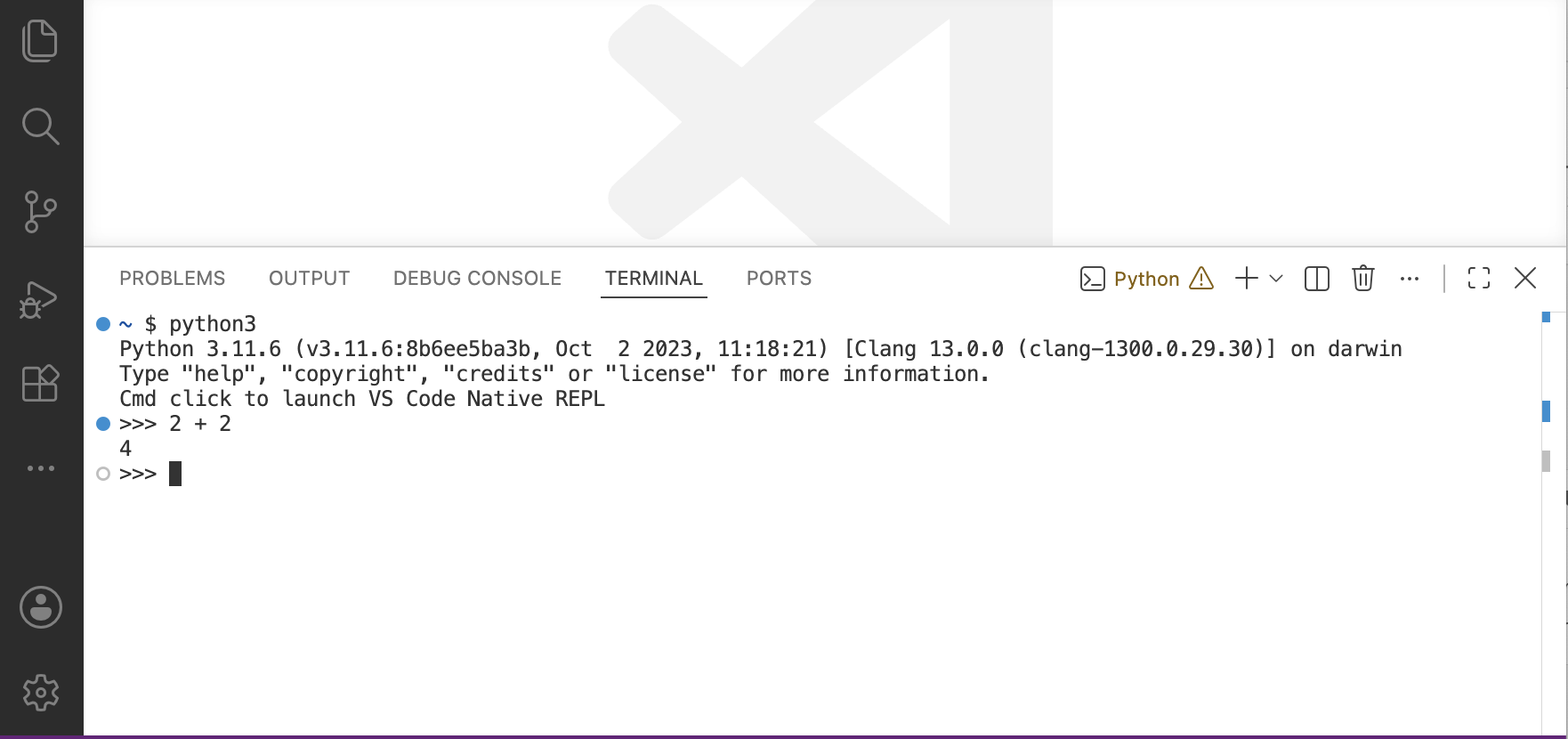
Tip: Up and down arrows cycle through the history of python code you’ve written.
Errors
Python awaits your commands. You are encouraged to experiment with the language. In the rest of this chapter, type in the expressions you read about and change them around to see what happens. However, be prepared for errors. While programming languages are powerful tools, they are also extremely rigid. Even the smallest spelling and formatting changes will cause unexpected output and errors.
Learning to interpret errors and diagnose the cause of unexpected errors is called debugging. Some guiding principles of debugging are:
Test incrementally: Every well-written program is composed of small, modular components that can be tried individually. Instead of starting with a long and complicated expression, first try evaluating its parts to make sure you get the result you expect. This approach will identify problems early and gain confidence in your components.
Isolate errors: An error in the output of a statement can typically be attributed to a particular place in the code. When trying to diagnose a problem, trace the error to the smallest fragment of code you can before trying to correct it.
Check your assumptions: Interpreters do carry out your instructions to the letter --- no more and no less. Their output is unexpected when the behavior of some code does not match what the programmer believes (or assumes) that behavior to be. Know your assumptions, then focus your debugging effort on verifying that your assumptions actually hold.
Consult others: You are not alone! If you don’t understand an error message, ask a friend, instructor, search engine, or AI tool. A lot of valuable programming knowledge is shared in the process of discussing programs.
Incremental testing, modular design, precise assumptions, and discussion are themes that persist throughout this text. Hopefully, they will also persist throughout your computer science career.